Vídeo explicativo com mapa de satélite — Estilo briefing por satélite
Crie um vídeo explicativo com imagens reais de satélite: sobrevoos, marcadores, rotas e fontes na tela. Feito para geografia, conflitos, rotas comerciais e notícias.
Included from Starter, with all 24 styles plus your own · preview rendered by the ClipOnIt engine
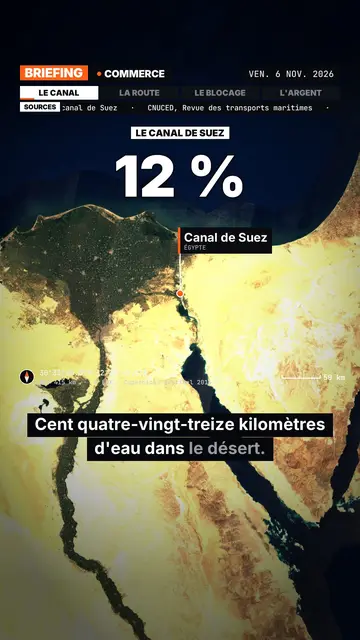
Como este estilo fica
Satellite briefing tells your topic from above, on real satellite imagery. In each scene, the camera climbs then dives onto the next place, and drops a pin with the place's name and country. It can also point at several places at once or draw a route between two points, with labelled ends: a shipping lane, a pipeline, a front line.
Around the map sits an investigation-desk frame: series label, topic, date, chapter tabs and a scrolling “Sources” line that includes the imagery credit. Instruments fill out the screen (compass, coordinates, altitude, scale bar). On the dimmed map, an inset can show a library element, an image you import or data bars, and captions light up word by word.
Temas em que se encaixa
Avoid: topics that do not happen anywhere in particular (psychology, tips, abstract ideas) and indoor scenes: the map then has nothing to show. The imagery is a cloud-free mosaic from a single year, so it cannot show a recent change on the ground.
- Geography and bordersShowing where a strait, an enclave or a disputed border sits beats describing it.
- Conflicts and world newsPins and routes place the facts, and the sources line reminds viewers where the information comes from.
- Trade and supply chainsA cargo ship crossing a canal, coffee crossing an ocean: the drawn route makes the journey obvious.
- MegaprojectsA dam, a new city or an airport makes more sense when you can see its footprint on the ground.
Ideias de vídeo neste estilo
- Why the Suez Canal matters so much
The camera follows a cargo ship from Asia to Europe, then draws the detour around Africa if the canal closes.
- The journey of a coffee bean
A pin on a plantation, another on a port, then the route all the way to your cup.
- What is at stake in a strait
Zoom on the passage, the bordering countries pinned, and data bars on the traffic going through.
- A city built in the desert
A flyover of the site, a scale bar on screen, and an inset with the project image you import.
Obtenha em 1 clique
- Abrir o link deste estilo
O botão “Criar um vídeo neste estilo” abre o editor com este estilo já selecionado. Sem conta, o cadastro leva um minuto e não exige cartão.
- Escreva o tema em uma frase
Uma ideia basta. Você também pode colar seu texto ou, no Starter, narrar no microfone: o vídeo então se baseia na sua voz.
- Revise e depois renderize
A IA escreve as cenas, escolhe os elementos do estilo e os sincroniza com as palavras, com voz e legendas. Você corrige o que estiver errado, e o MP4 vertical chega em alguns minutos.
O que você pode ajustar
You can write the series label, topic, date and chapters on the bar, the list of sources, the stamp title, the kicker and the big figure. Places are given by name: AI puts them on the map, and you can add pins or draw a route. For an inset, pick a library element, import your image or enter data bars. Length, narration and three variants per scene stay adjustable; from Starter, your own voice and the AI Director.
Frequently asked questions
Gratuito ou não, resultado, usos: as respostas curtas.
Is the satellite imagery real?
Yes. The views come from a public, cloud-free satellite mosaic, credited on screen and in the sources line. They are archive images, not live views.
Does the AI make up sources?
No. The script is written never to invent a source: you add your own, and the “Sources” line shows what you provided.
How far can it zoom in?
Down to the scale of a city or a large site, such as a port or a dam. You cannot make out a single house or car.
Este estilo está no plano gratuito?
No, it comes with Starter ($29/month): 15 watermark-free videos a month, all 24 styles plus your own. The free plan gives 3 videos a month with a watermark in 8 other styles: Pixel News, Press paper, Comedy cartoon, Class sketch, Night tale, Social screen, Retro synthwave and Flat vector.
Se você gosta deste estilo
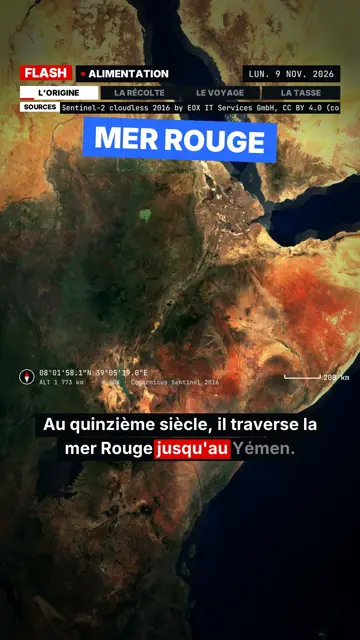
Breaking news explainer video
Flash brief style · News without a dull second: slammed captions, word-tracking box, satellite map and black panels.
- Grátis
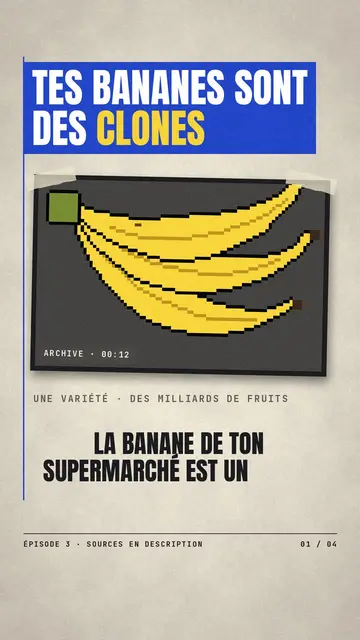
Paper cutout news video
Press paper style · Cream editorial paper, blue and red banners, stamp.
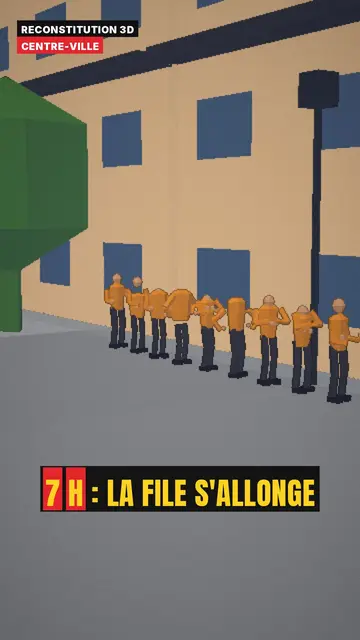
3D reconstruction animation
3D reconstruction style · Colourful daylight low-poly streets and interiors.
Todos os estilosComo escolher um estilo de vídeo explicativo
Sua ideia, neste estilo
Escreva uma frase ou diga em voz alta: o estilo já estará selecionado ao chegar no editor.